

Download X VPN APK – Free VPN, Secure Browsing, Global Server Access
Overview
X VPN is a desktop and mobile application developed by Free Connected Limited, designed to provide users with secure and unrestricted internet access. As a virtual private network (VPN) tool, it enables users to bypass geographical restrictions, protect their online privacy, and access blocked content across the globe. The software is positioned as a free utility with limited data access, offering 500 MB of free bandwidth before requiring a subscription.
While the free version is accessible without email registration, the full feature set is reserved for premium users. The app supports connections across a network of over 5,000 servers in 52 countries, including major regions such as the United States, the United Kingdom, Canada, Australia, and parts of Asia-Pacific. However, server coverage in Africa, South America, and Central America is limited to a single location.
The software aims to serve individuals seeking basic online anonymity, content unblocking, and secure browsing on public or private networks. It is particularly suited for casual users, travelers, or those needing temporary access to region-restricted services. The developer did not provide additional system requirements or technical details about platform compatibility beyond general availability.
Key Features & Capabilities
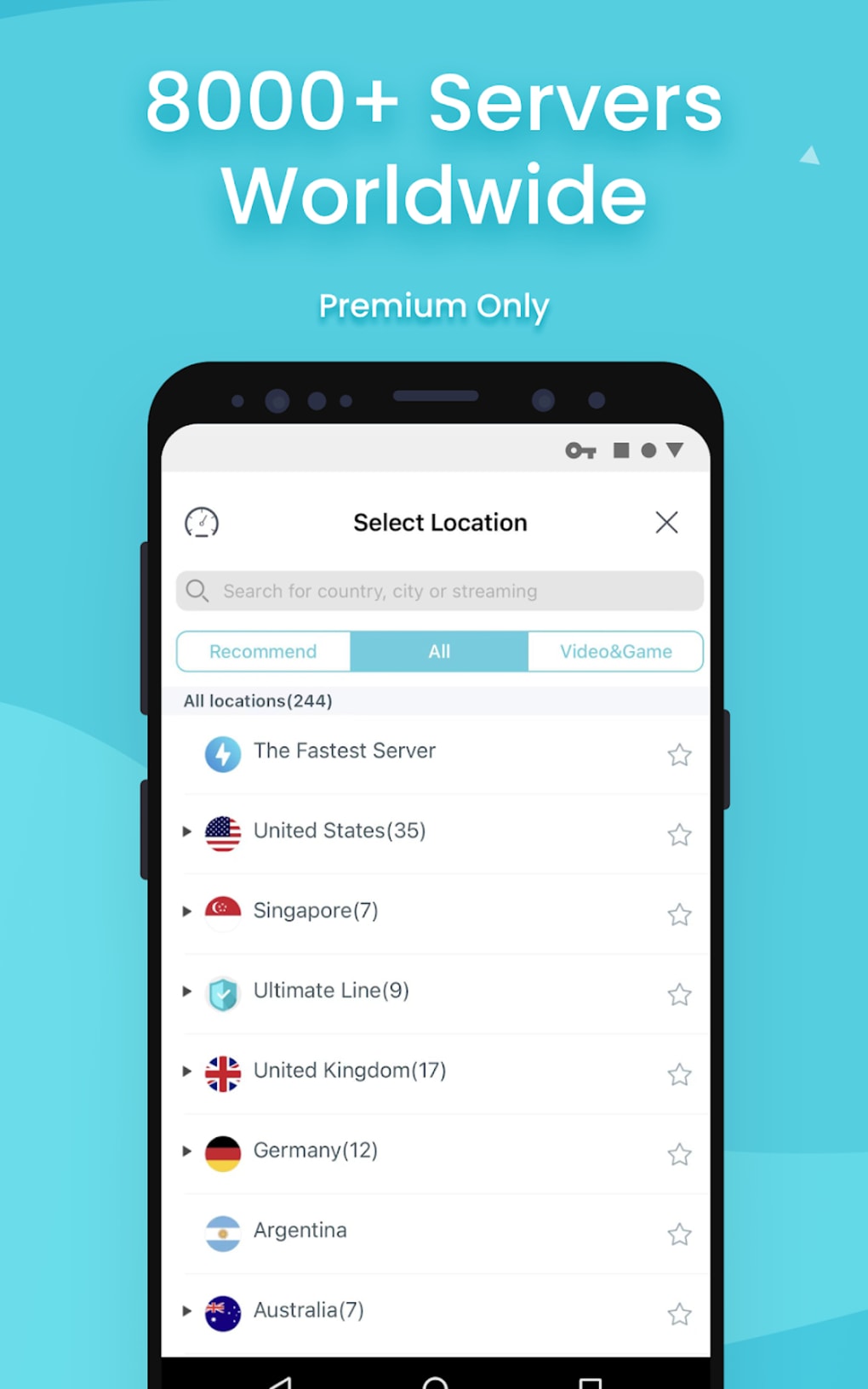
- Global Server Network: Access to over 5,000 servers across 52 countries, with options to connect at the country and city level for optimized performance and content access.
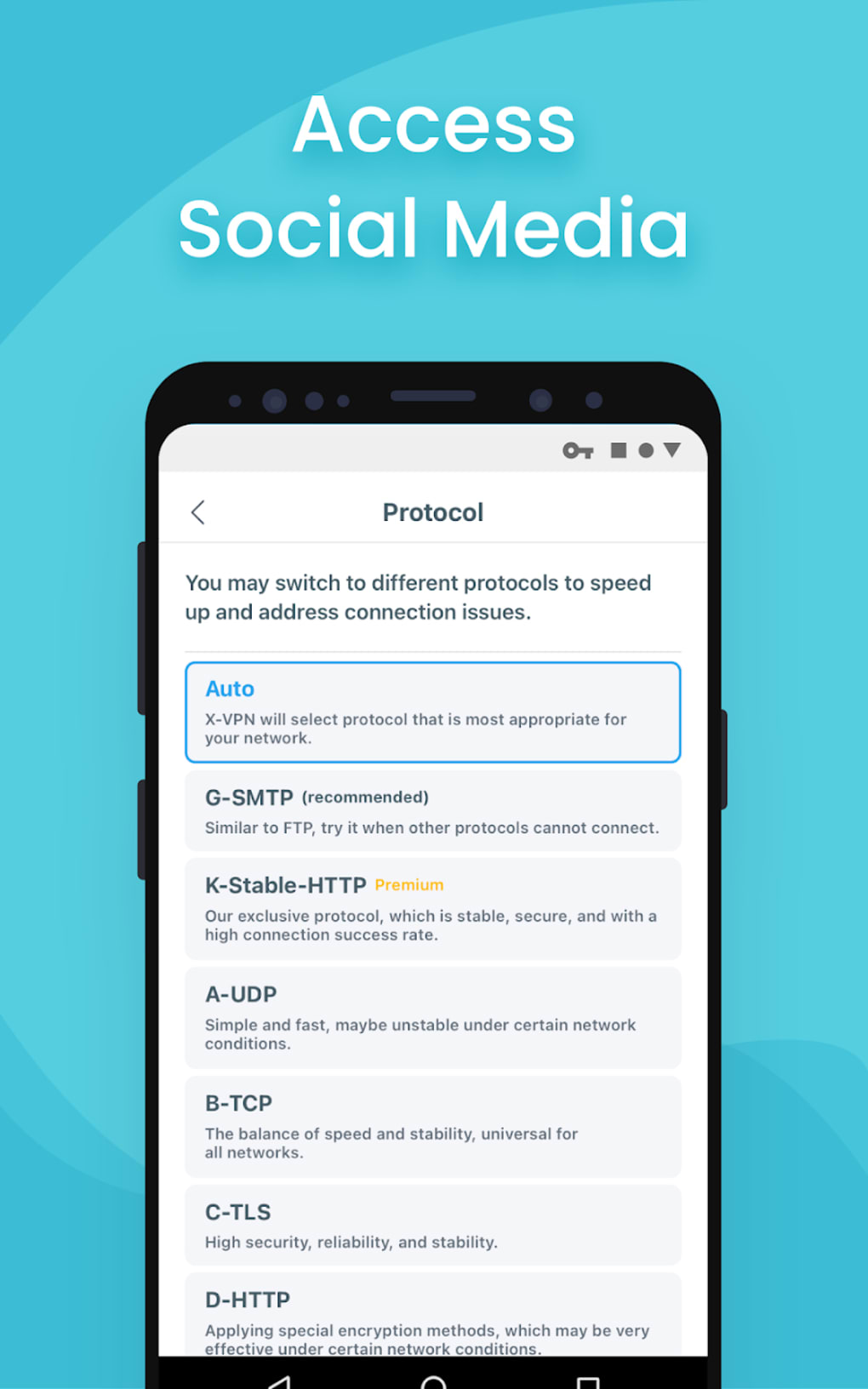
- 11 Proprietary Protocols: Offers a choice of nine to eleven encryption protocols, allowing users to select based on speed or security preferences, though technical specifications are not disclosed.
- Free Data Limit: The free version provides 500 MB of data per month, with no email required for initial access, after which users must upgrade to continue using the service.
- Kill Switch: Automatically blocks internet traffic if the VPN connection drops, helping maintain privacy during disconnections.
- Application Control (Split Tunneling): Allows selective routing of specific apps through the VPN, enabling users to use regular internet for some apps while securing others.
- Streaming-Optimized Servers: Dedicated server options for accessing platforms like Netflix and BBC iPlayer, though performance may vary.
- Private Browser (Premium Only): A built-in browser that prevents tracking by clearing cookies and browsing history after use.
- Automatic Fastest Server Selection: Intelligently connects users to the most responsive server based on location and network conditions.
- Speed Test (Premium Only): Allows users to evaluate connection performance before selecting a server for bandwidth-intensive tasks.
User Interface, Workflow & Performance
The user interface of X VPN is described as simple and visually clean, designed for ease of use across both mobile and desktop platforms. Navigation is streamlined, with servers organized by country, city, continent, and function—such as streaming or general browsing. The main dashboard features a one-tap connect button, recommended servers, and a categorized list for quick access.
Workflow efficiency is enhanced by automatic server selection and built-in security features like the kill switch and application control. However, performance details were not specified by the developer. General software behavior suggests that connection speeds may vary based on server distance and network conditions.
Users may experience a 15% reduction in download speed when connecting to distant servers. The app’s proprietary protocols are claimed to offer fast browsing, but no independent benchmarks or technical documentation were provided. The developer did not specify resource usage details, such as CPU or RAM consumption.
Stability during extended use is not confirmed, and some users have reported misconfigured server connections, where the app connected to an unintended location despite user selection.
Compatibility & System Requirements
X VPN is available as an APK file for Android devices, with the software designed to run on mobile platforms. The developer did not specify exact system requirements or compatibility details for desktop operating systems. The installation size was not provided.
Platform compatibility information is limited to Android, and no official support for Windows, macOS, or Linux was mentioned. The software version and release date were not disclosed. The developer did not list hardware requirements or performance thresholds.
Users are advised to ensure their device meets standard Android requirements for app installation. Exact performance details were not specified, and no information was provided regarding updates, background processes, or integration with other software.
Pros and Cons
Pros
- Simple, intuitive interface suitable for beginners.
- Free access to 500 MB of data without email registration.
- Over 5,000 servers across 52 countries, including city-level options.
- Includes essential security features like kill switch and application control.
- Offers streaming-optimized servers for popular platforms.
- Automatic server selection for faster connection times.
- Uses AES-256 encryption for data protection.
Cons
- Free version limited to 500 MB of data per month.
- Speed performance is reported as mediocre compared to competitors.
- Proprietary protocols lack transparency and technical documentation.
- Server misconfiguration issues reported by some users.
- Only one server location available for Africa, South America, and Central America.
- Upload speeds not suitable for P2P or torrenting activities.
- No official desktop version or support for Windows/macOS.
FAQ Section
Is X VPN safe to use?
X VPN uses AES-256 encryption to secure user data, which is considered highly secure. However, the lack of transparency regarding its proprietary protocols raises concerns about long-term security. The developer claims to follow a strict privacy policy, but no third-party audits were provided.
Can I use X VPN on my PC?
The software is currently available as an APK file for Android devices. The developer did not provide a desktop version for Windows or macOS. Users may attempt to run the APK via an Android emulator, but this is not officially supported.
Does X VPN work with streaming services?
Yes, X VPN offers dedicated servers optimized for streaming platforms like Netflix and BBC iPlayer. However, success may vary depending on the region and platform updates.
How often does X VPN update?
The update frequency was not specified by the developer. Users should check the official source or app store for the latest version.
Is X VPN truly free?
Yes, X VPN offers a free version with 500 MB of data per month. After this limit, users must subscribe to continue using the service. No credit card is required for the free trial, but continued access requires payment.
Final Thoughts + CTA
X VPN presents a basic yet functional option for users seeking temporary access to blocked websites and enhanced privacy. Its extensive server network, simple interface, and built-in security features like the kill switch and application control are notable strengths. However, the free data cap, inconsistent speeds, and lack of transparency around its protocols limit its appeal for serious privacy advocates or power users.
While it performs adequately for light browsing and streaming, it falls short when compared to more established and transparent services. For casual users who need a quick, no-frills solution, X VPN may suffice. However, those prioritizing speed, security, and long-term reliability should consider alternatives.
Download X VPN now and test its capabilities for yourself.





.png)

